
Self-hosted workflow automation with AI agents
Weavr is an open-source workflow automation platform that combines the power of traditional automation tools with native AI agent capabilities. Run it on your own infrastructure with full data sovereignty.
Quick Start
Get up and running in under a minute.
# Works on macOS, Linux, and WSL
curl -fsSL https://openweavr.ai/install.sh | bash
This script installs Node.js if needed, clones the repo, builds everything, and adds weavr to your PATH.
npm install -g @openweavr/weavrbrew tap openweavr/tap && brew install weavr# Clone and install
git clone https://github.com/openweavr/Openweavr.git
cd Openweavr
npm install
# Build backend and web UI
npm run build
# Start the server
node weavr.mjs serveOpen http://localhost:3847 to access the web interface.
Key Features
AI Agents
Build workflows powered by Claude, GPT, and other LLMs with tool use, web search, and memory.
Event-Driven Triggers
React to GitHub events, cron schedules, webhooks, Telegram messages, and more.
MCP Support
Extend agent capabilities with Model Context Protocol servers for filesystem, databases, and APIs.
Full Control
Self-host on your infrastructure. Your data never leaves your servers.
Documentation
Getting Started
Installation, configuration, and your first workflow.
CLI Reference
Command-line interface for workflow management and execution.
Web Interface
Visual workflow management, execution monitoring, and chat.
Workflow Reference
YAML syntax, actions, triggers, and variable interpolation.
Integrations
GitHub, Telegram, Slack, Discord, Linear, and more.
AI Agents
Configure and use AI agents with tools, web search, and MCP.
Example Workflow
Build workflows visually or write YAML directly — both produce the same result.
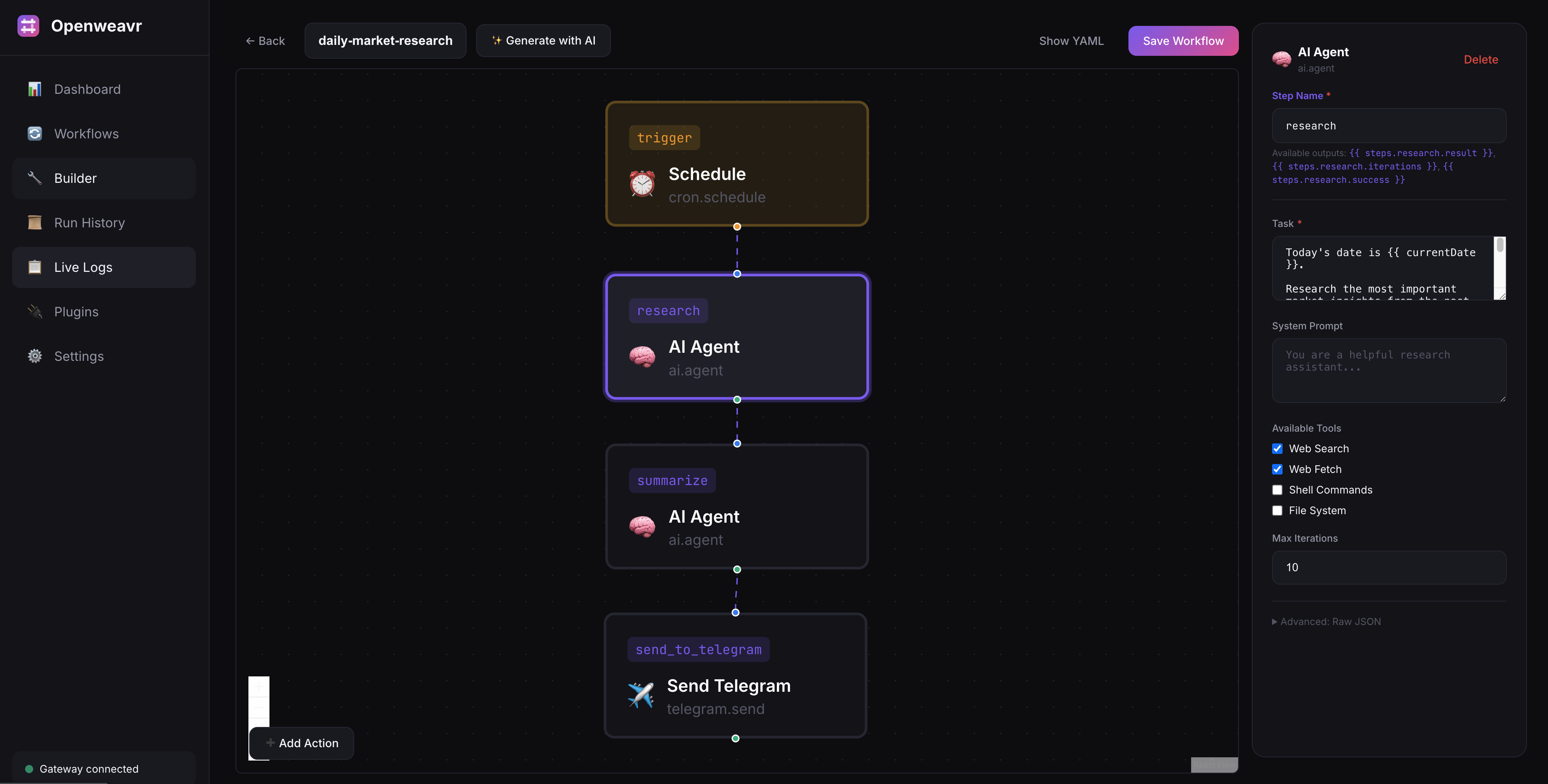
Visual workflow builder with drag-and-drop steps
YAML Definition
The same workflow as YAML — schedule an AI research agent that sends daily market briefings to Telegram.
name: daily-market-research-telegram

trigger:
  type: cron.schedule
  with:
    cron: "0 9 * * *"

steps:
  - id: research
    action: ai.agent
    with:
      task: "Research today's top market insights..."

  - id: summarize
    action: ai.agent
    needs: [research]
    with:
      task: "Create a concise summary from: {{ steps.research.result }}"

  - id: send_to_telegram
    action: telegram.send
    needs: [summarize]
    with:
      chatId: "YOUR_CHAT_ID"
      text: "{{ steps.summarize.result }}"